
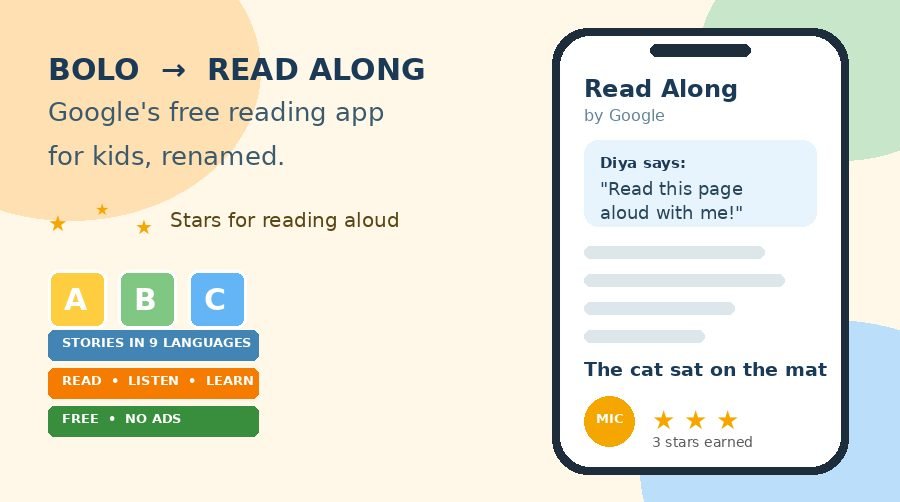
What happened to the bolo app google launched for kids?
The bolo app google launched for kids did not disappear. Google renamed it. Bolo, launched in India in March 2019 as a free reading tutor, became Read Along by Google in May 2020, when Google took it to more than 180 countries. The same idea, reading buddy, and free price are still there in 2026. If you search for Bolo today, you will not find a current app under that name. Search for Read Along by Google instead: the app Bolo grew into, still free on Google Play, and now also on the web and in Google Classroom.
That rename is why so many parents feel confused. Old stories still call it Bolo, while newer pages call it Read Along, and a Play Store search for “Bolo” now mostly returns unrelated apps sharing the name, including an insurance app. This post untangles that mix: what Bolo was, why Google renamed it, and where it lives now.
What was Google Bolo?
Google launched Bolo in India on 6 March 2019 as an open beta for Android phones. The name came from the Hindi word “bolo”, meaning “speak”: children learn to read by reading aloud. The app showed a child a short illustrated story, listened as the child read aloud, and gave gentle feedback. A word read well earned stars; a tricky word earned help, not a red mark.
Bolo was aimed at children aged five and up who already knew some of the alphabet — practice, not a phonics course or a video lesson. The app was free, worked offline after the first download, and asked for no sign-in or personal details. At launch it supported just English and Hindi. Its best-known feature was Diya, an animated reading buddy who encouraged the child and stepped in with a hint when the child stumbled. Voice data was analysed on the device, so the app could work offline, and Google said it was not stored or sent to its servers.
Why did Google rename Bolo to Read Along?
In May 2020, Google relaunched Bolo globally as Read Along: the same app, now in more than 180 countries, with nine languages at launch — English, Spanish, Portuguese, Hindi, Marathi, Bengali, Tamil, Telugu, and Urdu. Arabic followed in September 2020. The library grew, but the core stayed the same: a child reads aloud, Diya listens, stars reward progress, and everything works offline after download.
The rename was branding, not a shutdown. “Bolo” meant something warm to Hindi speakers and very little to parents in Brazil, Spain, or the United States, so Google needed a name any parent would understand at a glance. The app kept its package name on Google Play, its updates continued, and Google kept investing in it — a web version in 2022, a Classroom integration in 2024, and updates through 2026. In some countries Google kept using the Bolo name for a while, which is why 2020 coverage uses both names. Bolo was renamed, not removed.
Is Read Along by Google still available in 2026?
Yes. Read Along by Google is still available in 2026. Its Google Play listing, checked for this post on 24 November 2026, describes it as a free reading app for Android that helps children have fun while they learn to read, with no ads and no in-app purchases. It shows more than 10 million downloads.
For US families, it is straightforward. The app is listed on the US Google Play Store, priced at $0, for Android phones and tablets — see the official Read Along by Google listing on Google Play. There is no paid version to unlock. Two limits matter: there is no native iPhone or iPad app, so Apple users need the web version, and the app suits children who already know some of the alphabet. This is a reading-practice tool, not a first introduction to letters.
How does Read Along work, and what does Diya do?
After a parent sets it up once, a child can use Read Along alone. The child picks a story from hundreds of illustrated stories and word games, at a level the app recommends, and reads it aloud. The app follows along, word by word. A word read correctly earns encouragement; a word skipped or misread gets a gentle nudge, with Diya offering to say it or letting the child tap it to hear it pronounced.
Each child gets their own profile, so siblings advance separately, with stories matched to their level. Stars and badges reward finished stories and steady practice, with no timer, no leaderboard, and no penalty for slow reading. Diya is the heart of it: a reading buddy who is present, patient, and quick to praise, helping with the exact word rather than reading the whole sentence. The app also works offline once stories are downloaded, and voice data is analysed on the device rather than sent to Google’s servers.
What languages does Read Along support?
The language list has grown well beyond the English and Hindi of the Bolo launch, but it is not the same everywhere. On Google Play, the app lists nine: English, Spanish, Portuguese, Hindi, Bangla, Urdu, Telugu, Marathi, and Tamil. Google’s help pages list eleven for the web version, adding Arabic and Gujarati. The Classroom version adds more, including Indonesian, Malay, Thai, and Italian, though some need an internet connection.
For most US families, the languages that matter are English and Spanish, and both are covered well. Spanish-speaking families get a genuine second-language library, useful for bilingual households and children learning Spanish at school. Families who speak Hindi, Urdu, Bengali, Tamil, Telugu, or Marathi at home will also find stories in their language. If your family’s language is not supported, our round-up of the best free language learning apps covers wider options, though few are aimed at young readers.
What changed in Read Along after 2020?
In August 2022, Google launched the web version at readalong.google.com, moving Read Along onto bigger screens for Chromebooks and shared laptops. It runs in Chrome, Firefox, and Edge, but unlike the Android app it needs an internet connection and a Google account to sign in.
In June 2024, Read Along arrived in Google Classroom, at first for schools with Education Plus or the Teaching and Learning add-on, and later, in 2026, for all Google Workspace for Education users at no cost. Teachers can assign reading matched to a child’s level and see accuracy, speed, and comprehension data. In April 2025, teachers gained the ability to upload their own material, plus a silent reading mode; in September 2025, they gained the option to generate stories with Gemini, tailored to a topic and level. None of this makes Read Along a complete reading curriculum. It does not teach phonics from scratch or replace a teacher. Used for fifteen minutes a day alongside school reading and bedtime stories, it is a strong free supplement — a practice partner, not a reading teacher.
How do I get started with Read Along?
On Android, setup takes about five minutes. Open Google Play, search for “Read Along by Google”, and check that the developer is Google LLC — that one check avoids the unrelated Bolo apps. Install it, create a profile, pick a language, and let your child choose their first story. There is no account to create and no payment screen. Sit with them for the first two or three stories; most children need no more help than that.
On a Chromebook, laptop, or iPhone, use the web version instead, at readalong.google.com. You will need a Google account to sign in, so a parent should handle that and stay nearby for the first session. Keep sessions short — ten to fifteen minutes — and regular, ideally daily. Let the child choose the story, and resist correcting every mistake yourself while Diya is doing it. Families building a home-learning routine can browse our guide to the best free kids educational resources for parents, and our round-up of the best apps and websites for distance learning.
How does Read Along compare with the alternatives?
Read Along is not the only free reading app for children. The table below compares it with the original Bolo and three widely used alternatives; only Read Along is free with no paid tier.
| App | Cost | Best for | Main limit |
|---|---|---|---|
| Bolo (2019–2020) | Free | India launch; Hindi, English | Renamed in 2020 |
| Read Along by Google | Free, no ads | Read-aloud practice, ages 5+, offline | No iOS app; needs some alphabet knowledge |
| Khan Academy Kids | Free | Younger children; phonics, early learning | Less read-aloud feedback |
| Epic | Free tier; paid for full access | Big book library, independent readers | Full library needs a paid plan |
| Duolingo ABC | Free | Early phonics, ages 3–8 | Early reading, not fluent practice |
If your child can already read simple sentences and needs practice and confidence, Read Along is the strongest free choice, because nothing else free listens to them read and corrects them on the spot. If your child is younger and still learning letters, Khan Academy Kids or Duolingo ABC is a better start. If your child already reads fluently and wants more books, Epic’s library is the draw. Many families use two together — one to learn, one to practise.
What are the limits and downsides?
The biggest limit is the missing iPhone app. In the United States, where many families are all-Apple households, telling parents to use a web browser instead of an app feels like a workaround, and it is one. The web version needs an internet connection and a Google sign-in, so it loses the Android app’s best traits: offline use and no account.
The second limit is scope. Read Along practises reading; it does not teach a child to read from zero, cover writing in depth, or replace reading with a parent or teacher. A child who only ever reads to a phone can decode words fluently without building the comprehension that comes from talking about a story, so parents should ask questions after the session — what happened, and what might happen next. The third limit is the library: a keen reader can work through their level faster than Google adds titles. When that happens, the answer is a library card.
Should you still download it in 2026?
Yes, if you have an Android phone or tablet and a child aged five or older who is learning to read. It costs nothing, shows no ads, asks for no personal details, works offline, and listens to your child read and helps in the moment — something no other free app does as well. Download it from the official listing, check that the developer is Google LLC, and give it two weeks of short daily sessions before you judge it.
If you searched “bolo app google” wondering whether the app you remember is gone: it is not gone. It grew up, changed its name, learned more languages, and moved onto the web and into classrooms — and it is still free. Bolo became Read Along.
Frequently asked questions
Is the bolo app google launched still available to download?
Not under the name Bolo. Google renamed Bolo to Read Along by Google in May 2020. The current app is Read Along by Google on Google Play, free, with no ads and no in-app purchases. Anything still called Bolo in the store today is a different, unrelated app.
Is Read Along by Google really free?
Yes. Its Play listing states it is free, with no ads and no in-app purchases. There is no subscription, no paid tier, and no locked content. The web version is also free.
Does Read Along by Google work on iPhone?
There is no native Read Along app for iPhone or iPad. Apple users should use the web version at readalong.google.com. It needs an internet connection and a Google account, unlike the Android app, which works offline with no account.
What age is Read Along by Google for?
Google aims Read Along at children aged five and up who already know some of the alphabet. It works best as read-aloud practice for early readers, not as a first introduction to letters.
Is Read Along by Google safe for children?
Read Along asks for no name, age, location, email, or phone number, and its voice data is analysed on the device rather than stored or sent to Google’s servers, according to its Play Store listing. It also has no ads and no in-app purchases. As with any app using a microphone, a parent should still supervise the first sessions.