
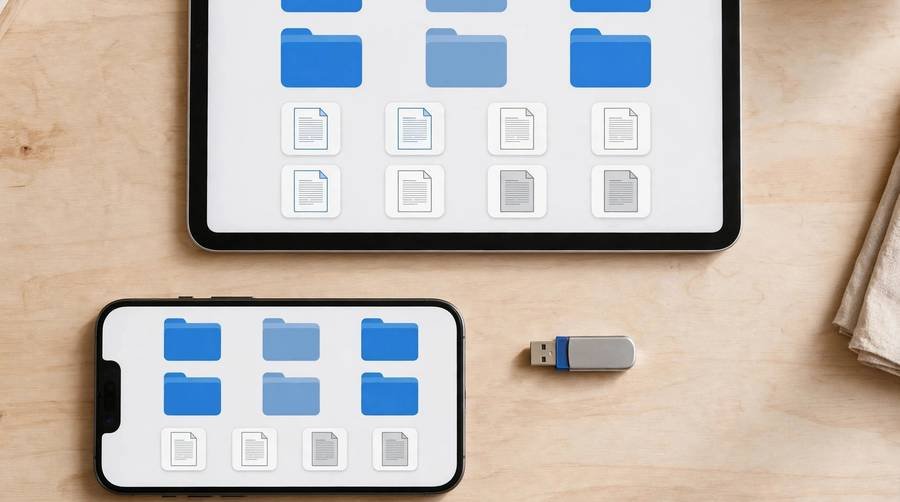
What is the Apple Files app, and is it actually useful on an iPhone or iPad in 2026?
Yes. The Apple Files app is the free, built-in file manager on iPhone and iPad. It gives you one place to find documents, downloads, and PDFs in iCloud Drive, on your device, on a connected USB drive, and in cloud services such as Dropbox, Box, and OneDrive. It is not the Finder on a Mac, and it will not show you the whole file system. But for everyday jobs — finding a downloaded form or sharing a file — it works without another app. iOS 26 makes it better still, with a proper list view, folders you can colour, and a choice of which app opens a file type.
Files arrived on 19 September 2017 with iOS 11, replacing the older iCloud Drive app, and it has been preinstalled on every iPhone and iPad since. The first version was basic, but Apple has improved it steadily, and the version in iOS 26 is the most capable yet. If you deleted it, you can download it again free from the App Store, where Apple lists it as a free Utilities app requiring iOS 11.0 or later.
What does the Apple Files app do on iPhone and iPad?
Files lets you browse, open, organise, and share files. Tap a file to open it: a PDF opens for reading and marking up, an image opens in Quick Look, and a document opens in the app that created it. Touch and hold a file for the working menu — copy, duplicate, rename, move, share, compress, delete, and add a tag. You can select several files at once and drag and drop them between folders and apps on iPad, and inside Files on iPhone.
It also handles small jobs that once needed another app: create a folder, scan a paper document with the camera and save it as a PDF, compress files into a ZIP archive, and mark up a PDF or image. Downloads from Safari and Mail land in a Downloads folder in iCloud Drive, which Apple points to when a file seems missing. When you delete a file, it moves to Recently Deleted, where Apple says it stays for 30 days. To get one back, open Files, tap Browse, tap Recently Deleted, and tap Recover.
One limit is worth knowing early. Files does not hold your photo library. Apple says plainly that your photo library is stored in the Photos app, even though you can save individual photos into iCloud Drive from inside Files. So if a picture is missing, check Photos first, not Files.
What is new in the Apple Files app in iOS 26 and iPadOS 26?
iOS 26 and iPadOS 26, released in September 2025, give Files its biggest upgrade in years. The first change is a proper list view. On iPad you can now see files as a list with resizable columns and collapsible folders, so you can look at a file’s name, size, and date at the same time. On iPhone the list view is simpler, but it still beats scrolling through icons in a crowded folder.
The second change is folder customisation: give a folder a colour, an icon, or an emoji, so work, tax, and travel folders no longer look like identical blue squares. Apple lists this in its iOS 26 new-features document as custom icons and emoji for folders, syncing across iOS, iPadOS, and macOS. The third change fixes a long annoyance: touch and hold a file, tap Open With, and pick the app you want, then set it as the default for that file type in Get Info, under Always Open With. Uploads and downloads now run in the background too, and on iPadOS 26 you can drag a folder into the Dock and use the new Preview app for PDFs.
How does iCloud Drive work in the Apple Files app?
iCloud Drive is the cloud location inside Files, and it is what makes your files follow you. A file saved to iCloud Drive on your iPhone appears in Files on your iPad, and in the Finder on a Mac, as long as you are signed in with the same Apple Account and iCloud Drive is turned on in Settings, under your name and then iCloud. You can choose which apps may store files there and share a file or folder with other people, who can view or edit it depending on the permission you set.
The catch is storage. Every Apple Account starts with 5GB of iCloud storage free, and that fills up fast once photos, backups, and documents share it. If you need more, Apple sells it as iCloud+, billed monthly in the United States. The prices below are Apple’s US prices from its iCloud+ plans and pricing page, checked on 24 November 2026, in US dollars. Some US states add tax on top.
| iCloud+ plan | US price per month | Best for |
|---|---|---|
| 5GB (free) | $0 | Light use |
| 50GB | $0.99 | One iPhone, modest files |
| 200GB | $2.99 | Most people, several devices |
| 2TB | $9.99 | Large libraries, family sharing |
| 6TB | $29.99 | Very large shared libraries |
| 12TB | $59.99 | Years of video archives |
For most people, 200GB at $2.99 a month is the sensible middle step: it covers a real photo library plus backups and documents, while 50GB at $0.99 a month is usually only enough if you keep very little in iCloud. Before you pay, check what is using your space in Settings, under your name and then iCloud — deleting old backups and duplicate videos often frees more room than an upgrade buys. Dropbox, Google Drive, OneDrive, Box can also appear as locations in Files once their apps are installed. Compare them in our guide to the 8 best free cloud storage platforms.
Can you use a USB drive with the Apple Files app?
Yes. Connect a USB drive or an SD card reader and it appears under Locations in Files, under its own name. From there you can browse it, open files on it, and copy files to and from it — useful for moving photos off a camera card or carrying slides on a flash drive. Modern iPhones and iPads use USB-C; older iPhones with a Lightning port need an adapter, and the drive must be in a format your device can read. Apple also lets you connect to a file server using SMB from inside Files. Files will not show drives it cannot read, so if a drive does not appear, try it on a computer first.
How do you organise, tag, and share files in the Apple Files app?
Good organisation comes down to folders, favourites, and tags. Start with a small set of folders in iCloud Drive — work, home, money, travel, and school — and put new files into the right folder when you save them. To favourite a folder, touch and hold it and choose Favorite. Tags are the second layer: a coloured label that can mark a contract in iCloud Drive, a receipt on your iPhone, and a form in Dropbox at the same time.
To share, touch and hold a file or folder, tap Share, and send a copy by message or email, or invite people to collaborate on the original in iCloud Drive. A shared folder updates for everyone when anyone edits a file in it. Set the permission when you share it — view only, or allowed to edit — and keep your only copy of anything irreplaceable outside a shared folder. Pairing Files with a reminder system helps too: see how to use Apple Reminders app.
What can the Apple Files app not do compared with Finder on a Mac?
Files is not Finder, and Apple has never claimed it is. On a Mac, Finder can see the whole drive, including system folders and applications. On an iPhone or iPad, apps are sandboxed — each app can only see its own files and the files you expose through Files — and most of the file system is hidden. That is a deliberate security choice. Files is a viewer and organiser, not an editor: it can preview and mark up PDFs and images, but for serious editing it hands the file to another app. It does not run Mac software, and it has no terminal or disk utility.
Apple Files App: Frequently Asked Questions
Is the Apple Files app free?
Yes. It is free and comes preinstalled on iPhone and iPad, with no paid version and no subscription inside the app. You only pay if you buy extra iCloud storage as iCloud+, starting at $0.99 a month in the US for 50GB.
Where are my downloaded files in the Apple Files app?
Downloads from Safari and Mail usually go to the Downloads folder in iCloud Drive. Open Files, tap Browse, tap iCloud Drive, then tap Downloads. If a file is not there, check On My iPhone or On My iPad, and search in Files by file name.
Can the Apple Files app open files on a USB drive?
Yes. Connect a USB drive or SD card reader and it appears under Locations in Files, under its own name. You can browse it, open files on it, and copy files to and from it. Older iPhones with a Lightning port need an adapter.
How do I recover a deleted file in the Apple Files app?
Open Files, tap Browse, then tap Recently Deleted under Locations. Deleted files stay there for 30 days, according to Apple Support, before they are removed for good. Tap and hold a file and choose Recover, or tap More, choose Select, pick the files, and tap Recover.
Is the Apple Files app the same as Finder on a Mac?
No. Finder is the file manager on a Mac and can see the whole drive, including system files. Files is the file manager on iPhone and iPad only, showing files in iCloud Drive, on your device, in cloud services, and on connected drives — not the whole file system.
The Apple Files app works best when you treat it as your phone’s one inbox for files: downloads land in the Downloads folder, scans and PDFs live in iCloud Drive, and anything you need on the go syncs to every Apple device you own. Set the Downloads folder once, check Recently Deleted before you panic, and only pay for iCloud+ storage when your files actually outgrow the free 5 GB.
Sources checked 24 November 2026: Apple Support, Find files on your iPhone or iPad (Apple Support); Apple Support, iCloud+ plans and pricing (US prices in USD); Apple, All New Features iOS 26 (Files list view, custom folder icons, Open With); Apple Support, If you’re missing files in iCloud Drive (Recently Deleted, 30 days); App Store, Files app listing (free, external drives, SMB, tags).