
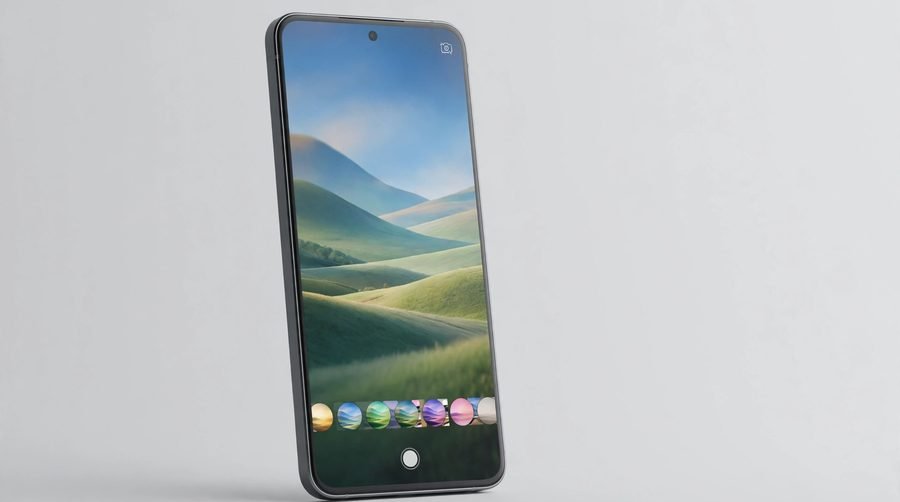
What is the b612 app, and is it worth downloading if you mainly want better selfies and quick photo edits?
The b612 app is a free selfie camera and photo and video editor for Android and iPhone, made by SNOW Corporation. It pairs a live camera with real-time filters, beauty tools and AR makeup, plus a photo and video editor. Most of it is free, but some filters need VIP and the free version has ads.
This guide covers what it does, what is free, what VIP adds, and whether it is safe.
What is the B612 app?
B612 is an all-in-one camera and photo and video editing app for Android and iOS. It launched in 2014 as a selfie app from LINE and Naver, named after asteroid B612 from The Little Prince. Today it is developed by SNOW Corporation, with more than 500 million downloads on Google Play, a rating around 4.0 there, and 4.6 on the App Store. It needs iOS 16.0 or later.
It has grown beyond its selfie-only start: the current version works with both cameras and edits photos and videos too. It is free to download, with in-app purchases, and rated for ages 13 and up.
What can you do with the B612 app?
Its main features, as described on the official store listings, are:
- Real-time filters: swipe through filters while the camera is live.
- Smart Beauty: beauty settings recommended for your face shape.
- AR makeup: virtual makeup, from natural looks to bolder styles.
- Video with music: a library of more than 500 kinds of music.
- Pro editing tools: curves, split tone and HSL colour tools, plus portrait retouching.
- Stickers and text: a large sticker library.
It replaces three or four smaller apps, but it takes up real space — over 360 MB on iPhone — and can feel busy at first.
How do the filters and beauty tools actually work?
Filters are the heart of B612. The app shows the filter live before you press the shutter, unlike a normal camera app. Swipe to change filters and drag a slider to change the strength. That live preview is the main reason people like the app.
Smart Beauty suggests settings for your face shape, which you can then fine-tune. The key is restraint: turned up too high, beauty tools make skin look plastic. AR makeup applies virtual lipstick, eyeliner, blush and eyeshadow that track your face.
Is the B612 app free?
Yes, the b612 app is free to download and use, and the free version is genuinely usable. You can take photos with live filters, use Smart Beauty and AR makeup, edit photos and videos, and use most filters and stickers without paying. The App Store listing states plainly that B612 can be used for free without buying VIP.
The trade-off is advertising. The free version shows ads, and some newer filters are reserved for paying subscribers. Optional credit packs for some AI features are sold as one-off purchases, but you do not need them daily. Turn on purchase approval if you share your phone with children.
What does B612 VIP include, and is it worth paying for?
B612 VIP is the app’s paid subscription. It removes ads and unlocks the premium filters and features locked in the free version, including higher-quality exports. The price needs care: the App Store listing shows different figures in different places, with its description quoting one monthly price and its in-app purchase list showing a different monthly price and two annual prices. Prices also vary by country and can change without notice.
So any single VIP price quoted in an article, including this one, could be out of date or wrong for your country. The only reliable price is the one on the VIP screen inside the app, in your own currency, before you confirm. Try the free version first: if you use B612 daily and keep hitting locked filters you want, VIP may be worth it. Subscriptions renew automatically until cancelled.
How does the B612 app compare with alternatives?
This table compares B612 with three well-known alternatives.
| App | Best for | Free version | Paid plan | Standout feature |
|---|---|---|---|---|
| B612 | Playful selfies, live filters | Generous, with ads | VIP subscription | Live AR makeup |
| SNOW | Trendy AR filters, stickers | Generous, with ads | VIP subscription | Huge AR filter library |
| BeautyPlus | Polished, natural selfies | Good, with ads | Premium subscription | Retouching tools |
| FaceApp | AI face edits | Limited, watermarked | Pro subscription | AI transformations |
Closest rival SNOW, from the same company, leans towards stickers and AR effects, while B612 leans towards live shooting. BeautyPlus suits a calmer, more natural result, and FaceApp wins for AI face transformations. If you post a lot to Instagram, our guide to the best Instagram Story apps covers tools for stories and stickers, and our roundup of the best free video editing apps for Android and iOS is a better starting point if video editing is your main goal.
How do I download and set up the B612 app?
Download B612 only from the official App Store or Google Play listing. Copycat apps exist, so check the official listing on Google Play before installing.
- Install the app: check the developer is SNOW Corporation.
- Grant only the permissions you need: camera and photo library access.
- Skip the VIP offer: close the subscription screen and explore the free version first.
- Turn on auto-save if you want it: photos may not save until you tap save.
- Pick a few favourite filters: long-press a filter you like to save it.
Check your subscription settings after installing: a free trial tapped by accident can turn into a paid subscription.
How can I take a better photo with the B612 app?
A good selfie still comes down to light, framing and restraint. Face a window or step into open shade, with the brightest light behind the camera. Harsh overhead light is the most common reason a selfie looks bad.
Keep the effect strength below the maximum: drag the intensity slider down a little and compare with the original — most people prefer the softer version. The same rule applies to Smart Beauty: pull back the skin smoothing until you can still see natural skin texture. Take several shots and check the background for clutter.
Is the B612 app safe?
B612 is a legitimate app from SNOW Corporation, with over 500 million Google Play downloads and a history back to 2014. The risks are the usual ones for a popular camera app: permissions, data, ads and in-app purchases.
B612 needs your camera and photo library to do its job, and that is normal. Review permissions in your phone settings after installing. The App Store listing says it may collect identifiers, usage data, diagnostics, purchases and user content. Two steps matter most: keep the app updated, and use limited photo library access if your phone offers it.
What are the downsides of the B612 app?
B612 has real weaknesses. The first is size: over 360 MB on iPhone before its cache, it is heavy for a phone short on storage. The second is clutter. Because it is a camera, editor, video tool and sticker shop at once, its interface can feel crowded.
The third is the paywall pattern: the best-looking new filters often carry a VIP badge, which can feel like a tease. Finally, overused beauty tools can quietly change how you see your own face, so keep the effects light.
Who should download the B612 app, and who should skip it?
B612 suits you if you take a lot of selfies, like playful filters and AR makeup, and want to see the effect live before you shoot. It is also a good fit if you post stories and short videos often, because the music, GIF and sticker tools are built for exactly that kind of quick sharing. Its natural audience is teenagers and young adults, matching its 13-plus rating.
Skip it if you want a plain, fast camera, or a serious editor with manual controls and layers. Your phone’s built-in camera plus a dedicated editor will serve you better. Skip it too if ads and subscription prompts annoy you, or if your phone is nearly full.
Frequently asked questions about the B612 app
Is the b612 app really free?
Yes. It is free to download and use, and the App Store listing states it can be used without buying B612 VIP. The free version has ads and locks some premium filters behind VIP, but the core camera, filters and editor work without paying.
Is the b612 app available on iPhone and Android?
Yes, on both. You can download it from the App Store for iPhone and iPad, where it needs iOS 16.0 or later, and from Google Play for Android phones, tablets and Chromebooks.
How much does B612 VIP cost?
There is no single reliable figure: the price varies by country and the App Store listing shows different prices in different places. Check the VIP screen inside the app for the current price in your own currency, and confirm whether you are choosing a monthly or an annual plan.
Can I use the b612 app without an account?
You can use the core camera and editing features without creating an account or signing in. Some features, such as saving custom filters, may ask you to sign in, but you can simply skip those.
Is the b612 app safe for teenagers?
B612 is rated 13 and up, so it suits teenagers but not younger children. It contains ads, social features and user-generated content. Parents should turn on purchase approval so VIP and credit packs cannot be bought by accident.