
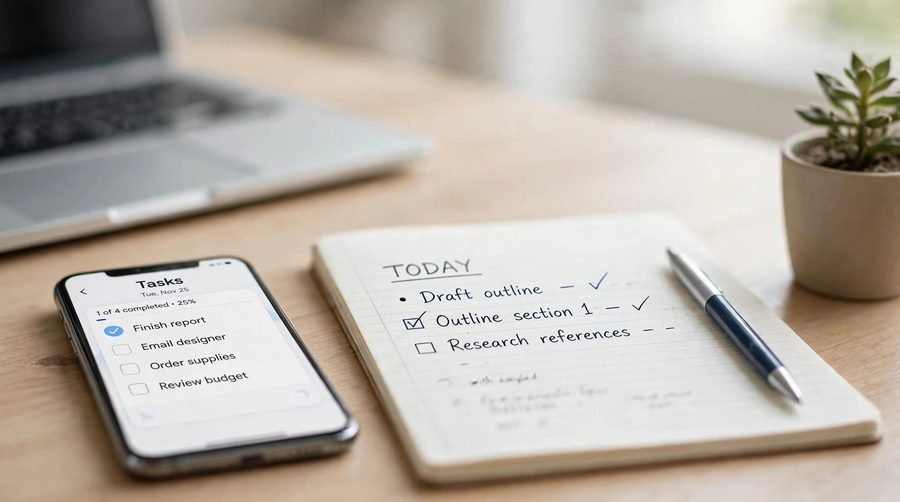
What are the best apps for productivity?
The best apps for productivity are Todoist for task lists, TickTick for tasks plus calendar and habits in one app, Things 3 for Apple-only users who hate subscriptions, Notion for notes and planning in one workspace, Structured for visual day planning, Forest and Focus Keeper for staying focused, Google Calendar and Fantastical for time, and Spark or Superhuman for clearing email fast. No single app wins every job, so pick one app per job and keep the stack small.
Start with your actual problem, not a system: a student who cannot start studying does not need a project manager, and a freelancer drowning in email does not need a prettier to-do list.
How do you choose a productivity app without wasting money?
Choose by job first, by platform second, and by price last. Name the one thing that costs you the most time each day: forgotten tasks need a task manager, a scattered day needs a planner, lost focus needs a timer, and an overflowing inbox needs a better email app. If an app does not fix that one thing in its first week, delete it and try the next one.
Platform matters more than most reviews admit: an app that only works on Apple devices is useless if your work computer runs Windows. Cross-platform apps such as Todoist, TickTick, Notion, and Google Calendar work almost everywhere, while Things 3, Apple Reminders, and Fantastical reward people who live inside Apple devices. On price, start free and upgrade only when you hit a limit you can name. For more free options, see our roundup of the best free apps for Android and iOS.
Which task manager is best for everyday to-do lists?
Todoist is the best task manager for most people. It opens fast, captures a task in seconds with natural language such as “call the dentist tomorrow at 9am,” and syncs across iPhone, Android, Mac, Windows, and the web. The free Beginner plan covers five personal projects, and Pro costs $5 per month billed annually ($60 a year) or $7 per month billed monthly, raising the limit to 300 projects with calendar layout and AI task help. It is simple on the surface and powerful underneath.
TickTick is the best value here, because it packs four apps into one: a task manager with a built-in calendar, a habit tracker, and a Pomodoro timer. The free plan covers nine lists with up to 99 tasks each and five habits, and Premium costs $49.99 a year (under $4.17 a month). Premium lifts the limits to 299 lists and 999 tasks per list, and adds calendar views, durations, and AI voice capture. It beats Todoist Pro on price by about $10 a year.
Things 3 is the best task manager for people who live entirely on Apple devices and refuse to rent their software. There is no subscription and no free plan, only a one-time purchase per device: $9.99 for iPhone, $19.99 for iPad, and $49.99 for Mac, with free Things Cloud sync. The Mac app offers a 15-day trial. Things 3 is calm and deliberately simple, but it has no Windows, Android, or web version and no shared lists, so it suits one person, not a team.
Apple Reminders is the best free task manager on iPhone, and it is already on your phone. It is built into iOS 27, which was released on 14 September 2026 and is now at version 27.2.1, and it syncs through iCloud to your iPad, Mac, and Apple Watch. You can create lists, set location reminders, and ask Siri to add tasks hands-free. It lacks filters and team projects, but for household tasks and simple plans, it is free and always there. If you have not installed it yet, see our guide on how to install iOS 27.
What is the best app for planning your whole day?
Structured is the best app for people who think in timelines rather than lists. It turns your day into a visual schedule, with each task shown as a block of time, so you can see whether your plans fit the hours you have. The free version covers basic planning, and Structured Pro adds calendar and reminders import, recurring tasks, custom notifications, and AI planning, sold as a one-time lifetime purchase of $99.99. It suits students, freelancers, and anyone whose day falls apart because tasks have no time attached.
Notion is the best app for people who want notes, tasks, and planning in one workspace. It combines documents, wikis, and databases, so one project page can hold notes, tasks, and a calendar. The free plan is generous for one person, Plus costs $10 per member per month billed annually ($12 billed monthly), and Business costs $20 per member per month billed annually, adding full Notion AI and stronger admin controls. Notion is powerful but slow to set up, because a blank workspace demands that you design your own system. Choose Notion for one home for everything; choose Structured to see your day in ten seconds.
Which focus timer actually keeps you off your phone?
Forest is the best focus timer for people who need a gentle reason to stay off their phone. You plant a virtual tree when you start, it grows while you work, and it dies if you leave the app to scroll. Sessions earn coins that can go toward planting real trees. Forest is free to download, and Forest Plus costs $5.99 per month or $35.99 per year on the App Store, adding advanced features and removing ads. The one-time Pro purchase Forest was once famous for is no longer sold, so check the current Plus price in the App Store before you buy.
Focus Keeper is the best focus timer for people who want the classic Pomodoro method and nothing else. It runs simple 25-minute work sessions with five-minute breaks, with a clean circular timer, session counts, and optional ticking sounds. The core timer is free, and Premium unlocks custom session lengths, statistics, themes, and widgets, starting from $2.99 per month or $19.99 per year on the App Store, though the App Store lists several Premium offers, so confirm the price before you subscribe. Pick Forest if your problem is picking up the phone, and Focus Keeper if it is structuring work into sessions. TickTick already includes a Pomodoro timer, so you may not need a separate timer.
Which calendar app is worth paying for?
Google Calendar is the best calendar for most people, and it is free with a Google account. It works on the web, iPhone, and Android, syncs instantly, and connects to almost every other app in this guide. You can share calendars with family or coworkers. It is plain, and its task features are basic, but a free calendar that syncs everywhere beats a beautiful calendar that does not.
Fantastical is the best calendar for people who live in meetings. It combines Google, iCloud, and Microsoft 365 calendars in one view, understands natural language, and adds booking links (Openings), meeting polls (Proposals), travel time, and a one-tap Join button for video calls. The free version covers basic calendaring, and Flexibits Premium costs $6.99 per month or $56.99 per year ($4.75 per month on the yearly plan), with a 14-day trial and a family plan for up to five people at $89.99 per year. Pay for Fantastical only if you schedule meetings every day; if your calendar mostly holds personal events, Google Calendar is enough.
How do you clear your inbox faster?
Spark is the best email app for most people who want a cleaner inbox without a steep price. Its Smart Inbox separates newsletters from messages from real people, and snooze, send later, and templates turn repeated replies into two taps. The free plan covers unlimited accounts and the Smart Inbox, and Premium costs $7.99 per month, or $4.99 per month billed annually at $59.99 a year, adding AI writing help, summaries, unlimited snooze and send later, and priority support. Spark works with Gmail, Outlook, iCloud, Yahoo, and IMAP accounts, so you keep your address and only change the app.
Superhuman is the best email app for people who process a very large volume of email every day and are willing to pay for speed. It is built around keyboard shortcuts, split inboxes, snippets, and AI drafting. There is no free plan: Starter costs $30 per user per month, or $25 per month billed annually ($300 a year), and Business costs $40 per month, or $33 per month billed annually. Superhuman works with Gmail and Outlook only, and you still pay for Google Workspace or Microsoft 365 separately. Try Spark first, and move to Superhuman only if email is genuinely the bottleneck in your workday.
Where do notes fit in a productivity setup?
Notes deserve one slot in your setup, not three. Pick one notes app, capture everything there, and let your task app handle dates: mixing the two is how things get lost. Apple Notes is the strongest free choice on iPhone: built into iOS 27, it syncs through iCloud, supports checklists, tags, and collaboration, and opens from the Lock Screen. Our deep dive explains why Apple Notes is the powerhouse of productivity for Apple users. If you want notes and tasks in one workspace, Notion covers both.
Which productivity app should you choose at a glance?
Use this table to compare the twelve apps side by side. Prices are in US dollars and were checked in November 2026; always confirm the current price before you buy, because prices change.
| App | Best for | Platform | Free tier | Paid price |
|---|---|---|---|---|
| Todoist | Everyday task lists | iOS, Android, Mac, Windows, web | Yes, 5 projects | Pro $5/mo annual ($60/yr) or $7/mo monthly |
| TickTick | Tasks, calendar, habits in one | iOS, Android, Mac, Windows, web | Yes, 9 lists, 5 habits | Premium $49.99/yr (under $4.17/mo) |
| Things 3 | Apple users, no subscription | iOS, iPad, Mac, Watch | No, Mac 15-day trial | $9.99 iPhone, $19.99 iPad, $49.99 Mac, once |
| Apple Reminders | Free lists on iPhone | iOS, iPad, Mac, Watch | Yes, built into iOS 27 | Free |
| Notion | Notes, tasks, planning in one | iOS, Android, Mac, Windows, web | Yes | Plus $10/member/mo annual ($12 monthly) |
| Structured | Visual day planning | iOS, Android, Mac, Windows | Yes | Pro $99.99 lifetime, once |
| Forest | Staying off your phone | iOS, Android, browser | Yes | Plus $5.99/mo or $35.99/yr |
| Focus Keeper | Simple Pomodoro sessions | iOS, iPad | Yes | Premium from $2.99/mo or $19.99/yr |
| Google Calendar | Free calendar, syncs everywhere | iOS, Android, web | Yes | Free with a Google account |
| Fantastical | Meetings and booking links | iOS, iPad, Mac, Watch, Windows | Yes, basic calendar | Premium $6.99/mo or $56.99/yr |
| Spark | Clean inbox with AI help | iOS, Android, Mac, Windows | Yes | Premium $7.99/mo or $4.99/mo annual ($59.99/yr) |
| Superhuman | High-volume email at speed | iOS, Mac, Windows, web | No | Starter $30/mo or $25/mo annual ($300/yr) |
How do you build a productivity setup that actually sticks?
Build a three-app setup and stop there. Pick one task app, one calendar, and one focus or notes app, then use only those three for two full weeks before you judge them. A good starter stack is TickTick, Google Calendar, and Forest, which costs $49.99 a year once you upgrade TickTick. An Apple-only stack of Reminders, Calendar, and Notes costs nothing at all. A professional stack is Todoist Pro, Fantastical, and Spark Premium, about $175 a year combined, which earns its keep only if email and meetings dominate your day.
Protect the setup with two habits. Each evening, move tomorrow’s three most important tasks to the top and put them on the calendar with real times. Each month, delete any app you have not opened in two weeks: an unused app is clutter, not a backup plan. MakeUseOf makes the same point about Android productivity apps: a small set of tools that fit your phone beats a large set you never open: My Android feels incomplete without these productivity apps.
Finally, no app fixes a calendar with no free time in it. If your day is overbooked, say no to one meeting or move one deadline instead of downloading another planner. The best apps for productivity make the work you already have easier to see, start, and finish.
Frequently asked questions
What is the best productivity app for most people?
Todoist is the best starting point for most people: it is fast to learn, works on iPhone, Android, Mac, Windows, and the web, and its free plan covers everyday lists. If you also want a calendar, habits, and a focus timer in one app, TickTick Premium at $49.99 a year is the better value.
What is the best free productivity app?
Apple Reminders is the best free productivity app on iPhone: it is built into iOS 27, syncs through iCloud, and works with Siri at no cost. Google Calendar is the best free calendar, and TickTick has the strongest free plan among cross-platform task apps.
Is Todoist or TickTick better?
Todoist is better for clean task lists and team projects, while TickTick is better if you want tasks, a calendar, habits, and a Pomodoro timer in one app for less money. Todoist Pro costs $60 a year, and TickTick Premium costs $49.99 a year, so TickTick wins on price and breadth while Todoist wins on polish and team features.
Do I need a paid productivity app?
No, most people do not need a paid productivity app to start: the free plans from Apple Reminders, Google Calendar, Todoist, and TickTick cover daily planning well. Pay only when you hit a real limit, such as needing more than five Todoist projects, calendar sync in TickTick, or booking links in Fantastical.
How many productivity apps should I use?
Use three at most: one task app, one calendar, and one focus timer or notes app. More apps mean more places to check, and a system you check in three places is one you will abandon, so keep the stack small and review it monthly.