
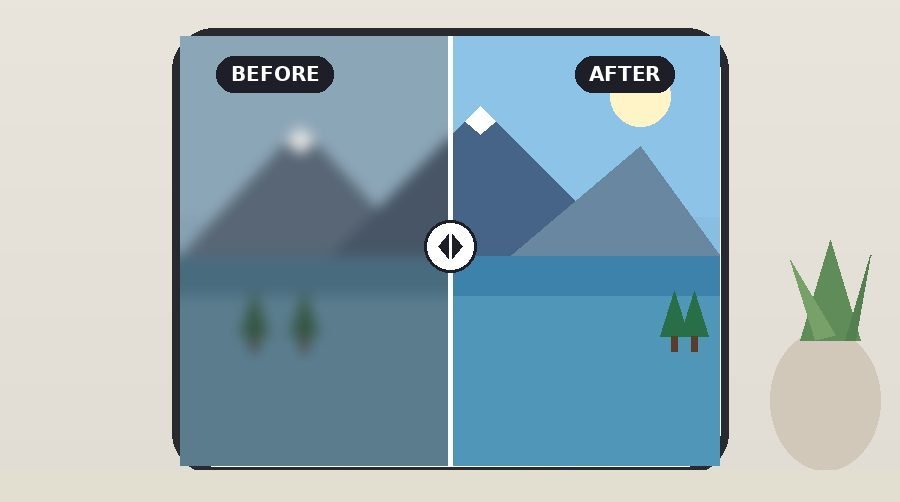
What Is the Remini AI Photo Enhancer App?
The Remini AI photo enhancer app is a one-tap photo restoration app for iPhone, Android, and the web that turns blurry, grainy, faded, or low-resolution pictures into sharper, clearer, high-definition images. You upload a photo, tap Enhance, and its artificial intelligence rebuilds missing detail, especially in faces, instead of asking you to adjust sliders, masks, or curves yourself. The app is free to download, but the free version is limited, shows ads, and adds a watermark, while unlimited, watermark-free use needs a paid subscription. For most people, that free test is enough to decide.
How Does the Remini AI Photo Enhancer App Work?
Remini works by sending your photo to its servers, where a trained AI model studies the image, guesses what the missing detail should look like, and rebuilds it. A blurry face has lost real information, and no app can recover the exact original pixels, so Remini reconstructs a plausible, sharper version of the face, the eyes, the hair, and the skin texture. On a very damaged print, a tiny thumbnail, or a face turned partly away, the same guesswork can smooth skin too much, reshape a feature, or invent a detail that was never there. The official site lists separate tools for the job: Unblur and Sharpener for motion blur and focus problems, Old Photos Restorer for faded and damaged prints, Denoiser for grain and noise, Face Enhancer for portraits, Color Fixer for dull tones, and Image Enlarger, which upscales a photo up to two times its size. There is also a video enhancer for short clips.
How Much Does the Remini AI Photo Enhancer App Cost in 2026?
Remini does not have one simple price, and that is the first cost trap to understand. The mobile app and the web version are billed separately, the price you see can depend on your region, your device, and the offer shown to you, and several 2026 reviews note that Remini uses dynamic, personalized pricing with no single fixed public price list. The weekly plans look cheap because the number is small, but a weekly charge repeats 52 times a year, so Pro Weekly at $9.99 a week costs $519.48 a year, while the single monthly option at $9.99 a month costs $119.88 a year for the same twelve months.
| Plan | Price in the US | What you get |
|---|---|---|
| Free download | $0 | Limited daily enhancements, ads, watermarked exports |
| Remini Lite Weekly | $4.99, $5.99, or $7.99 per week | Reduced feature set; the exact price shown varies by offer |
| Remini Pro Weekly | $9.99 per week | Full mobile feature set, no watermark, no ads |
| 1 Month | $9.99 per month | One month of the mobile subscription |
| Yearly Pro Subscription | $55.99 per year | Pro billed once a year, far cheaper than weekly billing |
| Yearly Subscription | $24.49 per year | Lower yearly tier listed on the US App Store |
| Remini Web Personal | About $6.99 per week, $17.99 per month, or $179.99 per year | Up to 20 enhancements a week, JPG output, short video clips |
| Remini Web Business | About $9.99 per week, $24.99 per month, or $249.99 per year | Unlimited enhancements, JPG, PNG, and TIFF, bulk upload, commercial use |
If you only need to fix a handful of old family photos, the cheapest honest route is usually the free version, or one month at $9.99, used hard and then cancelled. If you enhance photos every week, the yearly Pro option at $55.99 is far better value than letting a weekly plan roll on, because $9.99 a week for a year is more than nine times that yearly price.
Is the Remini AI Photo Enhancer App Free?
Yes, the Remini AI photo enhancer app is free to download and free to try, but the free version is deliberately limited, and calling it free without the limits would be misleading. Free users get a small number of enhancements each day, with several 2026 reviews putting the figure at about five a day, and each one is gated behind a forced video ad that you must watch before the result appears. Free exports carry a watermark, and the free version does not include the full set of premium features, including AI Photos, the higher-resolution output, and some video tools. Try the free version first, judge the results on your own photos, and only pay when you know how often you will actually use it. If you are restoring a family album, that slowness matters less than the result, because five free enhancements a day still clears a small album in a week. If you need twenty photos fixed today, the free version will not get you there, and that is the moment to decide whether one month of paid use is worth $9.99 to you. Write down how many photos you actually enhanced in your free week before you subscribe, because that number, not the marketing, tells you which plan fits.
How Do You Use the Remini AI Photo Enhancer App?
First, download the app from the App Store or Google Play, or open the web version, and sign in if the version you are using asks for an account. Second, tap Enhance, then Photos, and choose a picture from your camera roll, or scan a printed photo with your phone camera first so the app has a clean digital copy to work from. Third, pick the tool that matches the problem: Enhance for a general blurry photo, Old Photos for a faded print, Face Enhancer for a portrait, or Unblur for a shot spoiled by camera shake. Fourth, wait a few seconds while the photo uploads and the AI processes it, then compare the before and after with the slider the app shows you. Fifth, save the result only if you like it, and keep the original too, because the enhanced copy is a new version, not a replacement. For a printed photo, scan it flat on a scanner app or a flatbed scanner at the highest quality you can, and wipe the glass first, because dust and fingerprints become sharp, permanent-looking marks after enhancement. Once you have a result you like, save it at the highest quality the app offers, and back it up somewhere safe before you share it.
What Else Can the Remini AI Photo Enhancer App Do?
AI Photos, the feature behind its viral moments, generates professional-looking portraits of you from a set of selfies, including headshots, yearbook-style pictures, and themed shoots, and since November 2025 it has used Google’s Gemini image model for some of those generations. There is also a colorize tool for black-and-white photos, a background enhancer, a video enhancer for short clips, and a denoise tool for grainy night shots. The web version adds the same tools in a browser, plus batch upload and a Photoshop plugin on the Business plan. Our guide to the best photo editor apps for photographers covers the apps to use once the photo is sharp, and our guide to everything you need to know about Canva Free shows what a free design tool can do with an enhanced photo, from social posts to prints.
Is the Remini AI Photo Enhancer App Safe for Your Photos?
The app processes the images and videos you upload on its servers, including information about the faces in them, such as estimates of the location and shape of facial features, and its privacy policy names third-party AI service providers that process images and related face data to deliver its features, currently Black Forest Labs, Google, and OpenAI. Uploaded images are retained for up to 20 days if you have a subscription, or up to 7 days if you do not, according to the policy summary, while web uploads are automatically deleted from Remini’s servers after 15 days unless the media is strictly necessary for a specific feature you requested. Your images are not used to train its AI unless you explicitly opt in, though the policy also allows data sharing and personalized ads, with opt-outs in the app settings.
What Are the Limits of the Remini AI Photo Enhancer App?
It can smooth skin into a plastic, waxy look on close portraits, it can change a person’s likeness enough that family members notice, and it can invent teeth, glasses, or jewelry details that were blurred beyond recognition in the original. The app is also heavy, at about 187 MB on Android and about 205 MB on iOS, it needs a steady connection, and the free version interrupts you with ads.
Who Should Download the Remini AI Photo Enhancer App?
Skip it, or at least skip paying for it, if you need a full editor, if you enhance photos every day and would be better served by a yearly plan or a desktop tool, or if you are uncomfortable with your photos being processed on outside servers. Once a photo is sharp, our guide to the best Instagram story apps shows how to turn it into a story worth watching. The honest verdict is that Remini is the best mobile app for face restoration and old photo cleanup, and one of the worst-value subscriptions in its category when it is left on weekly billing, so use the free version to test it, pay monthly or yearly if it earns its keep, and never let a $9.99 weekly charge roll on unnoticed. Check the current price in the app before you subscribe, because the offer you see may differ from the prices listed here, and keep your originals safe so you can always go back if a future update changes how the results look.
What Should You Check Before You Pay for Remini?
Before you pay for anything, run a small test that takes ten minutes and saves you a bad subscription. Pick five photos that represent your real use: one old family print, one blurry portrait, one low-resolution screenshot, one landscape, and one photo you already like. Enhance all five on the free version, then look at each result at full size on a bigger screen, not just on your phone, and ask whether the face still looks like the person, whether the skin looks natural, and whether any detail was invented. Next, open your App Store or Google Play subscription page and read the exact price, renewal date, and cancellation steps for the plan you are considering, because the price on a review site, including this one, can differ from the offer shown to you. Then decide how many photos you will enhance in a typical month, and work out the honest yearly cost: a weekly plan at $9.99 costs $519.48 a year, a monthly plan at $9.99 costs $119.88 a year, and the yearly Pro option at $55.99 costs less than six weeks of weekly billing. If the answer is regular weekly use, the yearly plan is the only paid option that makes financial sense.
Frequently Asked Questions About the Remini AI Photo Enhancer App
Is the Remini AI photo enhancer app really free?
It is free to download and free to try, with about five enhancements a day behind video ads and a watermark on free exports. Unlimited, watermark-free, ad-free use needs a paid subscription, starting at $4.99 a week for Lite on the US App Store.
How much does Remini Pro cost in the US?
On the US App Store in November 2026, Remini Pro Weekly was $9.99 a week, a single month was $9.99, and Yearly Pro was $55.99 a year. Web plans are billed separately, so check the price shown inside the app before you pay.
Does Remini work on old and blurry photos?
Yes, old and blurry photos are its best use. It is strongest on faces and faded prints, and weakest on landscapes, text, and photos where half the image is missing. Always compare the result at full size before you share it.
Is Remini available on iPhone and Android?
Yes, Remini is available on iPhone and Android, and as Remini Web in a browser. It needs iOS 15.0 or later on iPhone, and recent Android versions, and it needs an internet connection because enhancement runs on its servers. You can learn more on the official Remini site.
Are my photos private when I use Remini?
Your photos are uploaded to Remini’s servers and processed by third-party AI providers, and they are retained for up to 7 days without a subscription, or up to 20 days with one. They are not used to train its AI unless you opt in, but avoid uploading sensitive photos such as identity documents.