
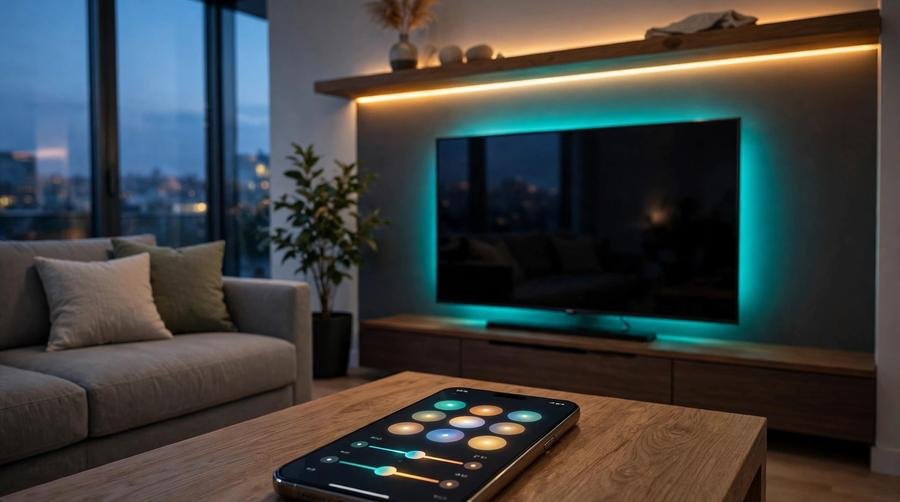
What is the govee home app, and do you actually need it to use Govee lights?
The govee home app is the free companion app for Govee smart lights and devices, and the only way to get the full feature set for most Govee products. It turns your phone into the remote control for your lights: switch them on and off, change colours and brightness, pick a scene, set a schedule, and sync several lights together. You can also link it to Alexa or Google Home for voice control. If you own Govee hardware, you need it. If you do not, there is almost nothing in it for you.
Facts checked against the app store listings and Govee support material in November 2026.
What does the Govee Home app do?
At its simplest, the app is a remote control for everything Govee you own. Open it, tap a device, and you can turn it on or off, change the brightness, and pick a colour or a white-light temperature. Once a Wi-Fi device is connected, that works from anywhere, so you can switch the hallway light off from the sofa or from another city.
Where the app earns its place is in the extras. It offers a library of ready-made lighting scenes, more than 100 of them according to Govee’s app page, covering moods such as sunset and party lighting, plus seasonal scenes. You can also build your own scenes in DIY mode. For RGBIC strips and lamps, which can show several colours at once, you can paint different colours onto different segments of the same light.
Music mode makes your lights react to sound, through your phone’s microphone or one built into some Govee devices. Schedules let lights switch on at sunset or turn off at bedtime, and group control treats several lights as one. The app also manages Govee thermometers, smart plugs, and other connected devices, but the controls you see depend on the model you own, so check the product page for your exact model number first.
How do I set up the Govee Home app?
Download Govee Home from the App Store or Google Play, and check the developer name first: the official listing names Govee (Shenzhen Intellirocks Tech Co. Ltd.). Then create a free Govee account or sign in, and allow Bluetooth when the app asks.
Power on your Govee device and keep your phone close to it. In the app, tap the plus sign, usually at the top right, and search for the model number printed on the box or on the device. The app finds the device over Bluetooth, then asks for your Wi-Fi details. This is the step that trips people up: most Govee Wi-Fi devices only connect to a 2.4 GHz network, not to 5 GHz. On Android, allow location permission so the app can discover Bluetooth devices.
Once the device is added, give it a clear name, because that name is what Alexa and Google Assistant will use later. If a device will not connect, move your phone closer, confirm you picked the 2.4 GHz network, and restart the app.
Do I need a Govee account to use the app?
Yes, in practice. The setup flow asks you to create a free Govee account or sign in, using an email you can check, because the app sends a verification code during registration. The account also links your devices to Alexa and Google Home.
That account requirement is one of the app’s most criticised points. Even Bluetooth-only bulbs ask you to sign in, and remote control and voice linking need the account and an internet connection. Protect it well: our guide to the Google passkey explains a safer way to secure accounts like this one.
Is the Govee Home app free, and is there a subscription?
The app itself is free to download on both iPhone and Android, and the store listings show no in-app purchases for the current version. With Govee Home, scenes, music sync, schedules, and DIY mode are all included without paying for the app.
What costs money is the hardware. The app controls nothing on its own, so the real price is the strip, bulb, lamp, or sensor you buy to go with it. Some third-party review sites mention paywalled features, but the official store listings checked in November 2026 show no in-app purchases and no paid tier for the core lighting controls.
Does the Govee Home app work with Alexa and Google Home?
Yes. Once your devices are set up in Govee Home, you can link the account to Alexa or Google Home and control your lights by voice. With Alexa, open the Alexa app, go to Skills and Games, search for Govee Home, enable the skill, and sign in. With Google Home, add a device, choose Works with Google, search for Govee Home, and sign in.
After linking, use the names you gave your devices to control them by voice, and put Govee lights into Alexa groups and Google Home routines, so one command controls lights from several brands at once.
Voice assistants expose fewer features than the app: you can change power, brightness, and colour by voice, but scenes and DreamView stay inside the app. Some newer Govee models also support Matter, so basic control of those models may not need the app at all.
What is DreamView, and is it worth setting up?
DreamView is Govee’s name for syncing several lights together so they act as one system. One device acts as the sync centre, usually a TV backlight kit, and others join it as sub-devices, with a limit of five per setup in Govee’s own FAQ. Movie watching DreamView extends your television onto the lights around it, music DreamView makes the group react to the same sound, and scenic DreamView applies one scene to the whole group. Test it with one sub-device first.
Does the Govee Home app work without Govee hardware?
No, not in any useful way. The app is a control centre for Govee devices, and without at least one compatible device there is nothing to control. It will not control other brands, so if your home is built around several manufacturers, a broader platform such as Google Home or Alexa is a better single place to control everything, keeping Govee Home for its own features. If you are still deciding which apps are worth space on your phone, our roundup of the best free apps for Android and iOS is a good place to compare.
How does the Govee Home app compare with Google Home and Alexa?
Govee Home is deep and narrow: it knows Govee products in detail and gives you every feature they support. Google Home and Alexa are wide and shallow: they control many brands, but only the basic functions of each device. Most Govee owners use all three.
| Feature | Govee Home | Google Home | Amazon Alexa |
|---|---|---|---|
| Cost | Free | Free | Free |
| Controls Govee lights | Yes, full controls | Yes, basic controls | Yes, basic controls |
| Scenes and DIY effects | Yes, 100+ scenes, DIY | No | No |
| Music sync and DreamView | Yes, some models | No | No |
| Works with other brands | No, Govee only | Yes, many brands | Yes, many brands |
| Voice control | No, link to Alexa or Google | Yes, with Google Assistant | Yes, with Alexa |
| Useful without Govee hardware | No | Yes | Yes |
What are the downsides of the Govee Home app?
The app’s public rating tells the story: around 3.9 stars from roughly 29,000 ratings on Google Play, with more than 10 million installs. People praise the scenes and the value of the lights, and complain about slow loading, connection drops, and a crowded interface. The 2.4 GHz Wi-Fi limit is the most common setup problem, Bluetooth range is short, and features vary by model and app version.
Should you install the Govee Home app?
Install it if you own, or are about to buy, a compatible Govee light or device. It is free, it is the only place to get the full feature set, and without it you are paying for scenes, music sync, and DreamView that you cannot use. Skip it if you do not own Govee hardware and have no plans to buy any. If you track your health and activity from the same phone, you may also like our guide to the Google Fit app, another free companion app that is only as useful as the hardware behind it.
Frequently asked questions about the Govee Home app
Is the Govee Home app free?
Yes. It is free to download on iPhone and Android, with no in-app purchases listed for the current version. You still have to buy the Govee lights it controls.
Do I need a Govee account?
Yes, in practice. Setup asks you to create a free account or sign in, and the account is needed for remote control and for linking Alexa and Google Home.
Does the Govee Home app work with Alexa and Google Home?
Yes. Link your Govee account through the Alexa skill or through Works with Google, then control your lights by voice. Voice control covers power, brightness, and colour; scenes and DreamView stay in the app.
Can I use the Govee Home app without Govee lights?
No, not usefully. The app manages Govee devices only, and without at least one compatible device there is nothing to control.
Why will my Govee light not connect to Wi-Fi?
The most common reason is the Wi-Fi band: most Govee Wi-Fi devices only connect to a 2.4 GHz network, not 5 GHz. Check you picked the 2.4 GHz network, keep your phone close, and try again.