
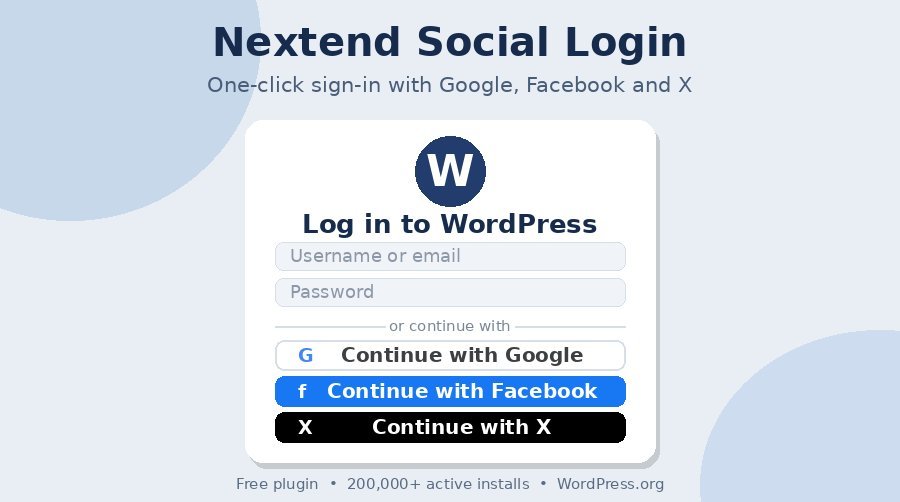
What is Nextend Social Login and how does it work?
Nextend Social Login is a free WordPress plugin that lets your visitors register and log in with their existing social accounts, such as Google, Facebook, or X, instead of a new username and password. It adds social buttons to your normal WordPress login and registration forms, so a visitor can sign in with one click and skip the confirmation email. Made by Nextendweb, it has been on WordPress.org since 2012. Version 3.1.27, updated on 13 November 2026, has more than 200,000 active installations and a 4.9 out of 5 star rating from 447 reviews.
It works through a standard called OAuth, the same system behind the familiar sign-in-with-Google buttons you see all over the web. When a visitor clicks a social button, they approve the sign-in at Google, Facebook, or X, then return to your site already logged in. Your site never sees their social password, because the password stays with the provider. The plugin ties that social account to a WordPress user account, so either login works.
Which social providers does Nextend Social Login support?
The free version supports three providers: Facebook, Google, and X, formerly known as Twitter. Those three cover the accounts most visitors already have, so for many small sites the free version is enough. Each provider is set up separately, so you can enable one, two, or all three.
The paid Pro addon adds about twenty more providers. The official listing names LinkedIn, Amazon, VKontakte, WordPress.com, Yahoo, PayPal, Disqus, Apple, GitHub, Microsoft, Line, Discord, Slack, TikTok, Steam, Twitch, Kakao, Reddit, and Spotify, 23 providers in total. Apple is the one most site owners ask about, because Sign in with Apple is what many iPhone users expect, and it is only available in Pro, as are LinkedIn, Microsoft, and GitHub.
How do I set up Nextend Social Login on WordPress?
Setup takes two parts: installing the plugin, which takes a couple of minutes, and creating a developer app with each provider you want to offer, which takes longer the first time. The plugin does not create your Google or Facebook accounts for you. You create a free app in each provider console and copy two keys into the plugin.
In your WordPress dashboard, go to Plugins, then Add New, search for Nextend Social Login, click Install Now, and then Activate. You can also download it from the official Nextend Social Login page on WordPress.org and upload it manually. After activation, go to Settings, then Nextend Social Login.
Set up one provider at a time, starting with Google. Click the Getting Started button in the Google section and follow its instructions, which link directly to the current Google documentation. In the Google Cloud Console you create a project, set up the OAuth consent screen, create an OAuth client ID, and copy the Client ID and Client Secret back into the plugin. Then click Verify Settings, confirm the test login works, and switch the provider to Enable. The WPBeginner guide to adding OAuth login in WordPress covers the same steps with screenshots.
Facebook follows the same pattern, with one extra step that catches people out. You create an app in the Meta developer portal, add Facebook Login as a product, copy the App ID and App Secret into the plugin, and add the exact callback address the plugin gives you to the list of valid OAuth redirect addresses in your Facebook app. New Facebook apps start in Development mode, so only listed developers or testers can sign in until you switch the app to Live mode. If Facebook login works for you but not for anyone else, Development mode is almost always the reason.
Once a provider is enabled, its button appears automatically on the WordPress login page and on any form built with the standard login form. You can also show the buttons anywhere else with the widget or shortcode, and existing users can link or unlink their social accounts from their profile page.
What is the difference between Nextend Social Login free and Pro?
The free version is a complete social login plugin for the three biggest providers, and it is free for unlimited sites. It includes one-click login with Facebook, Google, and X, account linking, social avatars, custom redirects, widgets and shortcodes, and customizable button designs. For a blog, a small membership site, or a site that only needs Google and Facebook, the free version covers the job.
Pro adds more providers and more control. It adds the twenty or so extra providers listed above, including Apple, LinkedIn, Microsoft, and GitHub, plus compatibility with WooCommerce, BuddyPress, UserPro, Ultimate Member, and Easy Digital Downloads, so buttons can appear on checkout pages, account pages, and community registration forms. It also lets you ask for an email address or username during registration, assign different WordPress roles to new users, restrict specific roles from social login, and choose icon-only or wide buttons and several login layouts. Pro also includes Google One Tap, a small Google sign-in prompt on your pages, turned off by default in version 3.1.27.
| Feature | Free version | Pro addon |
|---|---|---|
| Price | Free, unlimited sites | From $49 one-time for 1 site |
| Providers | Facebook, Google, X | Plus about 20 more, including Apple, LinkedIn, Microsoft, and GitHub |
| Where buttons appear | WordPress login and registration forms, widget, shortcode | Also WooCommerce checkout, BuddyPress, Ultimate Member, UserPro, Easy Digital Downloads |
| Ask for email or username | No | Yes, per provider |
| Assign roles to new users | No | Yes, per provider |
| Restrict roles from social login | No | Yes, per provider |
| Button styles | Customizable designs and texts | Icons or wide buttons, several layouts |
| Google One Tap | No | Yes, off by default |
How much does Nextend Social Login Pro cost?
Pro is sold as a one-time payment, not a monthly subscription, which is unusual among WordPress plugins and one of the reasons reviewers praise its pricing. United States listings report Standard at $49 one-time for one website, Premium at $99 for three, $149 for five, and $249 for ten. The vendor page lists the same tiers in euros, at 49 euros for one site and 98 euros for three before tax, so confirm the current price on the official site before you buy. There is no Pro trial, but the free version lets you test the whole setup before you spend anything.
Is Nextend Social Login safe to use?
Yes, for a well-maintained WordPress plugin, but social login is only as secure as the way you set it up. The plugin is actively maintained: version 3.1.27 was released on 13 November 2026, version 3.1.27 tightened the registration flow so it only accepts submissions sent from its own form and generates login session IDs with a cryptographically secure random generator. It needs WordPress 4.9 or newer and PHP 7.4 or newer. Treat your provider keys like passwords: anyone with your Google Client Secret or Facebook App Secret can pretend to be your site in the login flow. Keep it in the plugin settings and nowhere else, never paste it into a public forum or screenshot, and generate a new one right away if you suspect it has leaked.
A linked social account does not replace the WordPress password, and visitors can still log in with a password if they prefer. That is a strength, because a problem with one provider does not lock someone out of your site. Still protect your site the usual ways: strong admin passwords, two-factor authentication on admin accounts, and keeping WordPress, your theme, and plugins updated. For your own accounts, our guide to Google Password Manager explains safe password storage, and Google passkeys are a password-free option worth a look. On privacy, your site receives the basic details the provider shares, typically a name, email address, and profile picture, and the plugin provides tools to help your site meet GDPR requirements. Say clearly in your privacy policy which providers you offer and what data you receive, and test registration with each provider first, since some providers, notably X, do not always share an email address.
Does Nextend Social Login work well on phones?
Yes, and phones are where it earns its keep, because most logins now happen on a phone. The buttons work on the standard WordPress login page in a phone browser, and the sign-in itself happens on the provider side: a visitor taps Continue with Google, approves it in a familiar Google screen, and returns to your site logged in. That removes the two steps mobile users hate most: typing a password on a touchscreen and confirming a new account by email. Test the layout on a real phone, where wide buttons are usually clearest. One limit: Google buttons are hidden inside WebView environments, the built-in browsers inside many mobile apps, and Facebook buttons are hidden in Android WebView too. Keep the standard login form visible too, so nobody is stuck with no way in.
Who should use Nextend Social Login, and who should skip it?
It fits a WordPress membership site, a community or forum, an online course site, a WooCommerce store, or any blog where readers create accounts to comment, save things, or buy something. It also helps if your visitors keep asking for password resets, since every social login is one fewer password to remember. Skip it if your site has no user accounts at all, since a blog where nobody logs in gains nothing from a login plugin. Think twice too if your audience avoids social accounts, such as a privacy-focused community. And it is the wrong tool for single sign-on across several websites or a full identity system for a company: this is a social login plugin for one WordPress site, not an enterprise identity platform. If the jargon here is unfamiliar, our plain-English guide to tech terms explained covers OAuth, single sign-on, and the other words that come up in login guides.
What are the common problems with Nextend Social Login?
Most problems come from the provider setup, not from the plugin. The first is a redirect address that does not match: the address you enter in the provider app must match exactly the one the plugin shows you, including the https part. Copy it from the plugin rather than typing it from memory. The second is an app left in Development or testing mode: Facebook apps start in Development mode, and unverified Google OAuth apps can refuse sign-ins from people who are not listed as test users. If login works for you and fails for everyone else, check the app mode and verification status first. The third is a missing email address: some providers, notably X, do not always share one, and the plugin needs one to create a WordPress account. Pro asks the visitor for one during registration.
Finally, if the buttons do not appear at all, check where you are looking. The free version shows buttons automatically on the standard WordPress login form, but not on a custom registration page built by another plugin unless that plugin is supported. WooCommerce checkout, BuddyPress registration, and comment form buttons need Pro, and a theme that replaces the login page can hide the buttons even in the free version. If that happens, the widget or shortcode usually lets you place the buttons yourself.
Frequently asked questions about Nextend Social Login
Is Nextend Social Login really free?
Yes, the core plugin is free on WordPress.org for unlimited sites, and it includes login and registration with Facebook, Google, and X, account linking, social avatars, custom redirects, and widgets and shortcodes. You only pay for the Pro addon, from $49 one-time for one site, which adds about twenty more providers plus WooCommerce and membership plugin compatibility.
Does Nextend Social Login work with WooCommerce?
WooCommerce compatibility is a Pro addon feature, not a free feature. With Pro, your customers can register and log in with their social accounts during WooCommerce checkout and on the account pages, which speeds up checkout because customers skip creating a store password.
Do I need a developer account to use Nextend Social Login?
Yes, for each provider you enable you need a free developer app, such as a Google Cloud project or a Facebook app in the Meta developer portal, and you copy its Client ID and Client Secret into the plugin settings. The plugin gives you step-by-step instructions for each provider, Setup is free, although Google may take several days to verify a new OAuth app.
Is Nextend Social Login safe for my visitors?
Yes, when it is set up properly, because it uses OAuth, so your site never sees or stores your visitors’ social passwords. The plugin is actively maintained and recent updates have hardened the registration flow and session handling, but keep your provider secrets private, keep WordPress updated, and state in your privacy policy which providers you offer and what data you receive.
Can I use Nextend Social Login with Apple sign-in?
Yes, but Apple is a Pro provider, so Sign in with Apple is only available with the paid Pro addon. The free version covers Facebook, Google, and X only, and Apple login is one of the most common reasons site owners upgrade, because many iPhone users expect it.