
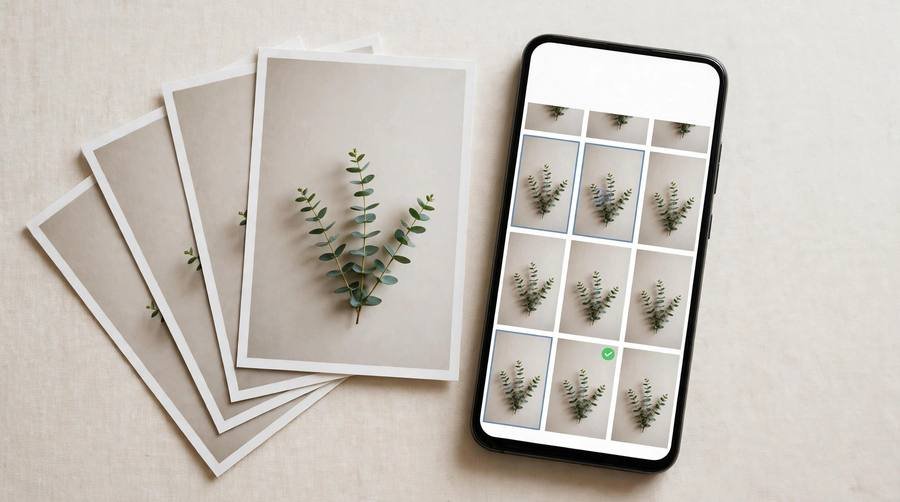
How to remove duplicate photos from your iPhone, Android phone, Mac, or Windows computer?
To remove duplicate photos, use the free tool already on your device before you install anything else. On an iPhone, open Photos, go to Collections, scroll to Utilities, tap Duplicates, and tap Merge next to each set of copies. On Android, open Files by Google, tap Clean, and use the Duplicate files card, or use Google Photos stacks to review similar shots. On a Mac, the same Duplicates album lives in the Photos sidebar under Utilities. Back up your library first, review each group before you merge or delete it, and remember deleted copies sit in Recently Deleted or Trash for 30 days.
Why do duplicate photos keep appearing in your library?
Duplicates rarely appear because you did something wrong. Phones and apps save generously and almost never ask first. Burst mode captures a dozen frames in a second so you can pick the sharpest one, and the other eleven stay behind. Messaging apps save every photo someone sends you.
Tell the two kinds apart. Exact duplicates are copies of the same file, or the same photo saved at a different resolution. Similar photos are separate shots that look almost the same, such as burst frames or portraits taken seconds apart. Built-in tools are excellent at exact duplicates and only partly helpful with similar shots.
What should you do before you delete any duplicates?
Back up your photo library before you merge or delete anything, even when the tool promises to keep the best copy. If you use iCloud Photos, check syncing is finished and your newest photos appear on another device. If you use Google Photos, confirm backup is complete. A local copy on a computer is the safest backup of all.
Bulk deletion is riskier than it looks because syncing spreads every change. With iCloud Photos on, a photo deleted on your iPhone is deleted everywhere you use iCloud Photos. The same is true of Google Photos: deleting a backed-up photo removes it from your cloud library and every synced device. Work in small batches and check your library still looks right before you continue.
Which duplicate-removal method should you use first?
Use the tool built for the library where the copies live: Apple Photos for iPhone, the Google Photos app for Google Photos, and Files by Google for local Android files. Cleaning one library does not clean the others.
| Method | Best for | What it catches | Cost |
|---|---|---|---|
| iPhone Photos Duplicates album | iPhone and iPad libraries | Exact and near-exact copies | Free, built in |
| Google Photos stacks | Similar shots in Google Photos | Near-identical shots taken close together | Free, built in |
| Files by Google | Local files on Android phones | Exact duplicate files | Free, built in |
| Samsung Gallery and My Files | Samsung Galaxy phones | Duplicate pictures and files | Free, built in |
| Mac Photos Duplicates album | Large libraries on a Mac | Exact and near-exact copies | Free, built in |
| Third-party cleaner apps | Similar and burst shots the free tools miss | Exact copies and similar photos | Free tiers with paid upgrades |
How do you remove duplicate photos on an iPhone?
The iPhone has the most straightforward duplicate tool of any phone, built into Photos since iOS 16. The steps below match iOS 27, released on 14 September 2026, with current build 27.2.1 released on 9 November 2026. If you have not updated yet, our guide to update your iPhone to iOS 27 walks through the process.
Open Photos and tap Collections. Scroll down to Utilities and tap Duplicates. If you do not see a Duplicates entry, Photos has not found any duplicates, or its background scan is still running. Give it time, keep the phone charged, and check again later.
Inside the Duplicates album, matching photos appear grouped with a Merge button next to each set. Tap a set to compare the copies. Apple keeps the highest-quality version and combines the relevant data, such as captions and keywords, into the single photo that remains. Tap Merge, then confirm. The extras move to Recently Deleted for 30 days.
When the list is long, tap Select, tap Select All, tap Merge, and confirm. Review the list first, because a bulk merge trusts the app’s judgement on every set at once. The MakeUseOf guide to merging duplicate photos on iPhone covers the same flow with screenshots, and Apple’s support page on deleting and recovering photos on iPhone confirms the recovery steps.
How do you remove duplicate photos in Google Photos?
Google Photos has no library-wide duplicate finder that scans your whole collection and lists every copy. What it does offer is photo stacks, a grouping feature for similar shots, plus a manual review flow that is useful once you understand its limits.
Photo stacks group nearly identical photos of the same subject taken together within a short time frame, and show a top pick for each stack. In the Google Photos app, tap the three-dot menu and turn on Stack similar photos. Stacks only appear for backed-up photos, and only in the mobile app, not on the website. Stacking alone does not free storage: space comes back only when you delete the extras.
To clean a stack, tap it, scroll the filmstrip, and pick the photo to keep. Tap its menu, choose Keep this, delete rest, and confirm. It is slower than a one-tap merge, but it puts the decision in your hands.
Google Photos also will not upload an exact copy of a photo already in your library. Its Free up space option removes backed-up photos from your device while keeping them in the cloud. Deleted photos go to Trash, where backed-up items are kept for 60 days and unbacked-up items for 30 days, and Trash still counts against your Google account storage until emptied.
How do you remove duplicate photos on Android?
Android has no single duplicate finder, because the right tool depends on where the copies live. Local files and photos in a cloud library are two different jobs, each with its own free tool.
Files by Google is the free file manager on most Android phones, and the best starting point for exact duplicate files on the device. Open it, tap Menu, then tap Clean. On the Duplicate files card, tap Select files. Google marks one file in each group with an Original badge: leave it untouched, select only the extra copies, and tap Move to Trash. If the card does not appear, no exact duplicates were detected.
Samsung Galaxy owners get an extra option. In the Gallery app, tap the menu, choose Clean out, and tap Delete duplicate pictures. The same job can be done in My Files under Manage storage and Duplicate files. Either route moves extras to Trash for 30 days.
For photos in Google Photos rather than on the phone itself, use the stacks method in the previous section. Files by Google handles exact local copies, while stacks handle the similar shots in your backed-up library. Cleaning only one leaves the other untouched.
How do you remove duplicate photos on a Mac?
A Mac is the most comfortable place to clean a large library, because the big screen makes it easy to compare copies side by side. Photos on a Mac has the same Duplicates album as the iPhone: open Photos, look in the sidebar under Utilities, and click Duplicates.
Each group shows the matching photos with their file sizes, so a full-resolution original is easy to tell apart from a small compressed copy. Click a group to inspect it, then click Merge. Apple keeps the highest-quality version, and the extras move to Recently Deleted for 30 days. To merge several sets at once, select them with Shift-click or press Command-A, then click Merge, but review the groups first.
How do you remove duplicate photos on Windows?
Windows has no built-in duplicate photo finder in its Photos app, so work in File Explorer, where you can sort and compare the actual files. Open File Explorer and go to the folder holding your photos, usually Pictures. Switch to Details view, then sort by Name to group files sharing a name, or by Size and Date to spot files matching in size and creation time. Copies often share a file size even when names differ, because Windows adds a number such as (1) to the second copy. Compare suspected pairs visually, then move extras to the Recycle Bin.
If your photos live in a cloud library, clean them there. Photos synced through iCloud for Windows are best cleaned in Apple Photos on an iPhone or Mac, and Google Photos is best cleaned in its app with stacks. Cleaning the cloud library fixes every device at once; cleaning a local folder fixes only one computer.
Are third-party duplicate cleaner apps worth using?
Third-party cleaner apps are worth using for exactly one job: finding the similar and burst shots the free built-in tools do not catch. They are not a replacement for the built-in tools. Run the free cleanup first, then decide whether the remaining similar photos justify another app.
On Android, Remo Duplicate Photos Remover is a long-standing option on Google Play, listed as free with a 4.0 rating and updated on 2 November 2026. It scans for exact and similar photos, groups them for review, and keeps one copy of each photo even if you select a whole set.
On iPhone, CleanMyPhone by MacPaw is the current version of the cleaner formerly sold as Gemini Photos. MacPaw renamed it in March 2024, so guides still recommending Gemini Photos by name are out of date. It groups duplicates, similar shots, blurry photos, and screenshots, and suggests a best shot in each group. Its free tier is limited, so check the App Store listing first.
Whatever app you choose, apply three safety rules. First, pick an app from a known developer with a long history on the store, and read recent reviews. Second, review every group before deleting anything, because no cleaner is accurate enough to trust blindly. Third, never pay before trying the free tools: many people find the built-in Duplicates album would have caught the same copies for nothing.
What if the Duplicates album is missing or empty?
A missing Duplicates album is usually good news, not a fault. Apple only shows it when Photos has actually found duplicates, so a clean library simply does not display it. The same applies on a Mac. The background scan may also still be running after an update or a large import, and the phone may need to be locked and charging for the analysis to finish.
If duplicates exist and the album still does not appear, restart the phone and leave it charging overnight on stable Wi-Fi. Check you are looking in the right place: on iOS 27 the album is under Collections and Utilities, while older versions put it under the Albums tab. Sometimes the album is present but misses copies you can see, because it looks for exact and near-exact matches, not every photo that feels similar.
How can you stop duplicate photos from coming back?
Cleaning once is satisfying, but duplicates return unless the habits that create them change. The simplest fix: review burst shots on the day you take them and keep only the best one or two. A burst reviewed immediately costs a minute; a burst reviewed a year later costs an afternoon.
Turn off automatic saving in messaging apps, or at least in the busiest group chats. Pick one cloud library and stick to it, because running iCloud Photos and Google Photos together is a common cause of duplicate libraries. When you edit, prefer tools that save over the original, such as the photo editor apps in our roundup, over an app that exports a new copy every time.
Frequently asked questions about removing duplicate photos
Will merging duplicates on my iPhone delete the original photo?
No, merging keeps one copy of the photo in your library and moves only the extra copies to Recently Deleted. Apple combines the highest image quality and the relevant data into the single photo that remains, and the extras stay in Recently Deleted for 30 days.
Does Google Photos delete duplicate photos automatically?
No, Google Photos does not scan your whole library and delete duplicates on its own. It prevents exact copies from being uploaded twice, and its photo stacks feature groups similar shots taken close together so you can review them. You still choose which photos to keep, and stacking alone does not free storage space.
How long do deleted photos stay in Recently Deleted?
On an iPhone, deleted photos stay in Recently Deleted for 30 days before they are permanently removed. During that time you can open Photos, go to Collections, tap Recently Deleted under Utilities, and recover any photo you deleted by mistake. In Google Photos, backed-up photos stay in Trash for 60 days and unbacked-up photos for 30 days.
Is it safe to use a duplicate cleaner app?
Yes, it is safe when you use the built-in tools first and choose a cleaner from a known developer with a long history on the App Store or Google Play. Review every group of photos before you delete anything, because no cleaner is accurate enough to trust blindly, and back up your library before a bulk cleanup.
Why does the Duplicates album not appear on my iPhone?
The Duplicates album only appears when Photos has found duplicate photos or videos, so a clean library will not show it. If duplicates exist and the album is still missing, the background scan may not have finished yet, which is common after a software update or a large import. Leave the phone locked and charging overnight, then check again under Collections and Utilities.